OCR Enables Conversion of Pictures into Scanned Pages with Editable Text
In today’s digital world, converting photographs into professional-looking scanned documents is essential for businesses, students, and individuals alike. Whether it’s receipts, handwritten notes, printed papers, or official documents, having them in a searchable and editable format saves time and boosts productivity.
The Photo to Scanned Document with OCR tool from ConvertJPGtoPDF.net makes this process simple, fast, and secure. Best of all, it works without uploading your files, ensuring your data remains private while delivering high-quality scanned results with accurate text extraction.
What Is OCR and How Does It Work?
OCR (Optical Character Recognition) is a technology that converts text found in images or scanned documents into machine-readable, editable text.
Instead of manually retyping text from a photo, OCR:
Detects characters in the image
Recognizes letters, numbers, and symbols
Converts them into editable digital text
Common Uses of OCR
Digitizing handwritten or printed documents
Extracting text from receipts, invoices, and contracts
Making scanned PDFs searchable
Improving productivity by eliminating manual typing
With ConvertJPGtoPDF.net, OCR works directly in your browser—fast, accurate, and secure.
Why Convert Images into Scanned Documents with OCR?
Turning photos into scanned documents with OCR offers several benefits:
Professional Appearance – Transform uneven photos into clean, scanner-quality pages
Editable Text – Copy, edit, and reuse text extracted from images
Searchable Documents – Easily find words inside scanned PDFs
Reduced Manual Effort – No need to retype text
Improved Accessibility – Digitized documents are easier to manage and store
This approach combines visual clarity with practical functionality.
Why Use an Online OCR Photo-to-Scanned Document Tool?
Online tools remove the need for expensive or complicated software. Here’s why they’re so popular:
💻 No Software Installation – Skip tools like Adobe Acrobat
⚡ Fast Results – Complete tasks in minutes
🧑💻 Beginner-Friendly – Simple interface, no technical skills required
🔐 Privacy-Focused – No uploads or cloud storage
💯 Completely Free – No subscriptions, no watermarks
ConvertJPGtoPDF.net delivers all these benefits in one place.
Key Features of ConvertJPGtoPDF.net’s Photo to Scanned Document with OCR Tool
This tool stands out due to its strong feature set:
🔒 No Upload Required – Files stay on your device
📄 Scanned Document Effect – Adjust brightness, contrast, and alignment
🧠 Advanced OCR Technology – Extracts text quickly and accurately
🌍 Multi-Language OCR Support – Works with various languages
📱 Device-Friendly – Desktop, tablet, and mobile compatible
🔍 Searchable PDFs – Save documents with selectable and searchable text
🖼️ Multiple Formats Supported – JPG, PNG, and PDF
How to Convert a Photo into a Scanned Document with OCR
Follow these simple steps:
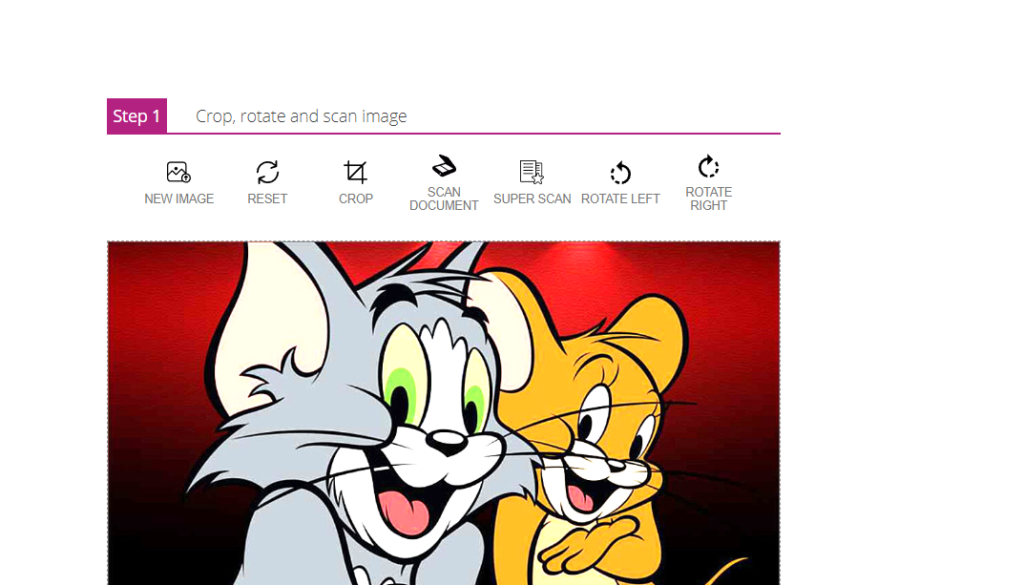
Step 1: Open the Tool
Visit ConvertJPGtoPDF.net and select Photo to Scanned Document with OCR.
Step 2: Open Your Image
Click Open File and choose an image from your device.
👉 No upload occurs—the file remains local.
Step 3: Apply Scanned Effect
Adjust brightness, contrast, and orientation to make the image look like a scanned document.
Step 4: Enable OCR
Turn on the OCR option to extract text from the image.
Step 5: Review the Output
Check both the scanned image and the extracted text for accuracy.
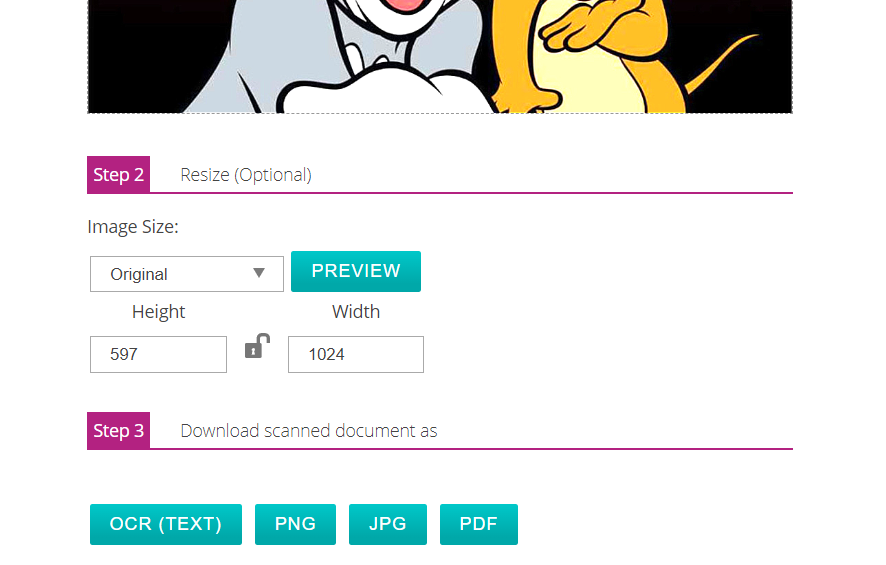
Step 6: Save the File
Download the result as a searchable PDF or editable text file.
Benefits of a No-Upload OCR Service
Using a no-upload OCR tool offers major advantages:
🔐 Maximum Data Security – No server storage or third-party access
⚡ Real-Time Processing – Instant results without delays
📂 No File Size Limits – Handle large or high-resolution images
🌐 Offline Capability (in supported browsers) – Useful in low-connectivity environments
This makes it ideal for sensitive or confidential documents.
Practical Uses of OCR Photo-to-Scanned Document Conversion
This tool can be used in many real-world scenarios:
📝 Digitize Handwritten Notes – Make them editable and searchable
🗂️ Create Searchable Archives – Organize important records
🧾 Convert Receipts & Bills – Simplify expense tracking
🏢 Improve Business Workflow – Share clean, professional documents
🎨 Creative & Educational Projects – Convert sketches or notes into digital assets
Why Choose ConvertJPGtoPDF.net for OCR and Scanning?
Users trust ConvertJPGtoPDF.net because it combines privacy, speed, and simplicity:
✔️ Completely free with no hidden charges
✔️ Privacy-first, no-upload design
✔️ Fast and accurate OCR results
✔️ Easy-to-use interface for beginners
✔️ Works on all modern devices and browsers
Frequently Asked Questions (FAQs)
Can I use the OCR tool on my mobile phone?
Yes, it works perfectly on smartphones and tablets.
Which file formats are supported?
JPG, PNG, and PDF formats are supported for input and output.
Is the OCR tool free?
Yes, it’s 100% free with no watermarks or extra costs.
Can it work without an internet connection?
In some browsers, once loaded, it can work offline.
How accurate is the OCR feature?
It provides high accuracy across multiple supported languages.
Will image quality be reduced?
No, scanned images retain high quality and clarity.
Conclusion
With the Photo to Scanned Document and OCR tool from ConvertJPGtoPDF.net, converting images into professional, searchable, and editable documents has never been easier—or safer. The no-upload design ensures privacy, while advanced OCR technology delivers fast and reliable results.
Whether you’re digitizing handwritten notes, managing receipts, or creating searchable archives, this free tool streamlines your workflow effortlessly.
Popular Tools